Review · Laptops

MacBook Neo Review: What Its Fixed Limits Mean

The MacBook Neo runs on the A18 Pro, an A-series chip, where every other current Mac uses an M-series one. It comes with 8 GB of memory and nothing larger on offer. It's the cheapest laptop Apple sells, and the buyer weighing it is usually looking at the MacBook Air 13 M5 too. The figures here are Apple's ratings from its tech specs pages, plus the electricity use that ENERGY STAR certified for the Neo.

Apple’s battery ratings are shorter than the Air’s. Dividing those ratings by battery capacity gives the Neo a higher ratio, but does not measure real-world efficiency under a shared workload.
By Published Research-based assessment

Affiliate disclosure: the price links on this page may earn us a commission at no extra cost to you. Retailers cannot pay for placement or influence the score. How we stay independent

Quick verdict

Apple MacBook Neo (A3404), A18 Pro, 8 GB, 256 GB, Magic Keyboard without Touch ID
Apple MacBook Neo specifications

For schoolwork, email and streaming, the Neo is the Mac to buy. Its one memory size and plain sRGB screen are the limits to accept, because you can't change either later.

Strengths

  • Apple's battery-rating-to-capacity ratios are higher than the Air's on paper
  • ENERGY STAR typical use near a third of its class limit
  • Both USB-C ports charge it

Weaknesses

  • 8 GB of memory, with no larger option
  • sRGB-only screen
  • Only one external display, and only from the USB 3 port

Key specifications

Model
MacBook Neo, A3404
Chip
A18 Pro, 6-core CPU (2 performance, 4 efficiency), 5-core GPU, 16-core Neural Engine
Memory
8 GB unified memory (only option)
Storage
256 GB or 512 GB SSD (512 GB model has Touch ID)
Display
13.0-inch IPS, 2408 x 1506, 219 ppi, 500 nits, sRGB
Battery (Apple rating)
36.5 Wh, up to 16 h video streaming, 11 h wireless web
Ports
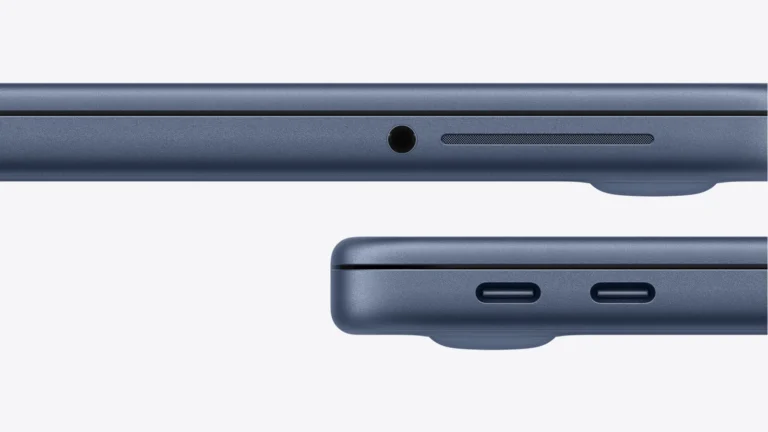
One USB 3 USB-C (10 Gb/s, DisplayPort), one USB 2 USB-C (480 Mb/s), 3.5 mm jack
External displays
One, up to 4K at 60 Hz
Wireless
Wi-Fi 6E, Bluetooth 6
Camera
1080p FaceTime HD
Size and weight
1.27 x 29.75 x 20.64 cm, 1.23 kg (2.7 lb)
In the box
20 W USB-C adapter, 1.5 m USB-C charge cable

Full specification sheet and comparisons →

How we reviewed it

Basis
Research-based: assessed from the manufacturer’s published specifications, documentation and the independent sources listed at the end. We have not tested this unit ourselves; any measurement quoted belongs to the cited source.
Method

Battery and charging figures come from the footnotes on Apple's MacBook Neo tech specs page, which give the test settings. We set them against the same page for the MacBook Air 13 M5 to work out hours per watt-hour. The electricity section uses the cited ENERGY STAR record for model A3404. Memory, screen and display support come from Apple's spec pages for both laptops.

Evidence

ENERGY STAR supplies a standardized annual electricity figure. Battery, screen, memory and port specifications are Apple ratings, and the hours-per-watt-hour comparisons are arithmetic from those ratings.

Limitations

The Neo's battery, speed and screen have not been independently measured for this review. The figures remain Apple ratings. January 2026 testing used preproduction laptops at the stated low screen setting, and the specification gives no charging time for the included adapter.

Memory, screen and what the Air adds

Not rated · Evidence: maker figures only
Both side edges of an indigo MacBook Neo, one showing two USB-C ports and the other a headphone jack
The Neo's two side edges in indigo: two USB-C ports on one, the headphone jack on the other. Product image: Apple (cropped render)

Every Neo has 8 GB of unified memory, and you can't add more after purchase. The MacBook Air 13 M5 starts at 16 GB. Someone who plans to keep a laptop for five years, or who edits large photo libraries, has the better reason to pay for the Air.

Apple lists the Neo's 13-inch panel as sRGB, the standard color range of the web. The Air supports the wider P3 range. Both carry a 500-nit brightness rating, but their screen specifications differ in more than color range.

At a desk, the Neo drives one external display at up to 4K and 60 Hz, and only through its USB 3 port. The Air drives two. It also has two Thunderbolt 4 ports, MagSafe charging and a 12 MP Center Stage camera where the Neo has a 1080p one.

The Neo works within those limits for a simple desk setup. If your work needs a second display or more memory, choose the Air before buying, because accessories cannot change the Neo's hardware limits.

Battery life and the size of the pack

Not rated · Evidence: maker figures only
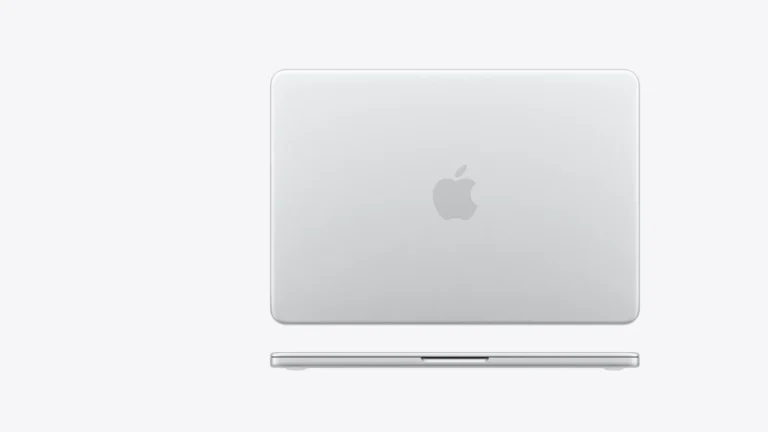
Silver MacBook Neo seen closed from above with the Apple logo, its thin side profile shown below
The silver Neo closed, from above and from the front edge. Product image: Apple (cropped render)

Apple rates the Neo for up to 16 hours of video streaming and 11 hours of web browsing. The Air gets 18 and 15 hours. The Neo's battery holds 36.5 watt-hours, about two-thirds of the Air's 53.8.

Dividing Apple's ratings by capacity gives about 0.44 video hours per watt-hour for the Neo and 0.33 for the Air. The web-rating ratios are 0.30 and 0.28. These are our calculations from specifications, not a controlled test of efficiency or a promise about your workload.

The web test shows the bigger gap, four hours. Apple's web test loads 25 popular websites and its video test plays 1080p video in Safari, and a day of mixed browsing and documents looks more like the first of the two. Both ran with the screen 8 clicks above its lowest setting.

The Neo includes a 20 W adapter. Capacity divided by the adapter's maximum output gives an idealized lower bound of about 1.8 hours, not a charging-time prediction: losses, power used while charging and tapering all matter. Apple publishes no full-charge time here. The Air includes a 40 W adapter and supports fast charging with a 70 W or higher adapter.

Electricity use on the ENERGY STAR listing

Not rated
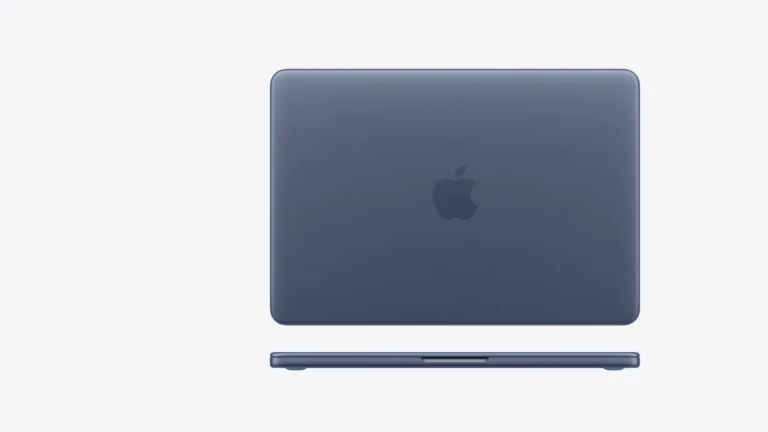
Indigo MacBook Neo seen closed from above, with its front edge shown below
The Neo in indigo, closed, from above and from the front edge. Product image: Apple (cropped render)

The ENERGY STAR listing for A3404 records typical annual electricity consumption of 6.1 kWh against an allowance of 17.0 kWh. This is a standardized annual-use metric, not a prediction of your electricity bill. Listed sleep power is 0.1 W, equivalent to about one watt-hour over ten hours by our arithmetic.

Apple Intelligence on 8 GB

Not rated · Evidence: maker figures only
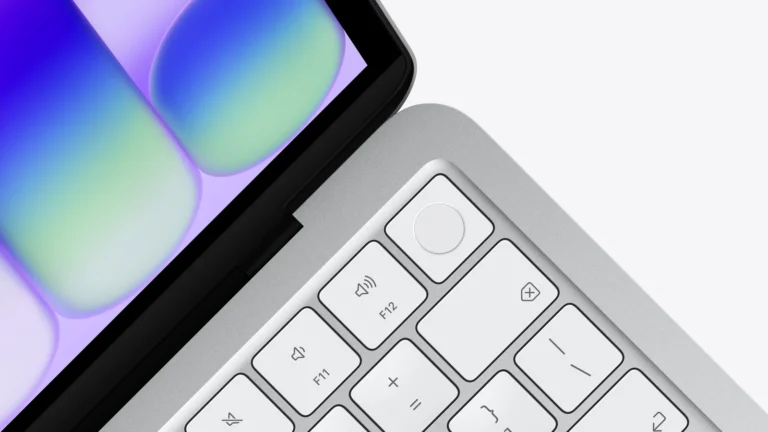
Close view of the top right corner of a silver MacBook Neo keyboard with the Touch ID key beside the screen
The Touch ID key on the 512 GB Neo's Magic Keyboard, next to the screen's corner. Product image: Apple (cropped render)

Apple lists Apple Intelligence and Siri AI for the Neo, with Siri AI in beta on macOS 27 and in English first. Features that run on Apple's servers have daily usage limits, and Apple says wider access will carry a fee later. Treat the AI features as extras, because the 8 GB of memory and the A18 Pro are what you're buying for the next several years.

Alternatives worth considering

Apple MacBook Air 13 M5 (2026)

Twice the memory to start, a P3 screen, two Thunderbolt 4 ports and support for two external displays. It costs noticeably more, so it's the pick only if one of those changes your work.

Where to buy

In-stock offers for this exact model, sorted by item price in USD. Shipping is not included unless a retailer supplies it. Not every retailer is listed. Prices last checked 9 hours ago.

Retailer prices for the Apple MacBook Neo (A3404), A18 Pro, 8 GB, 256 GB, Magic Keyboard without Touch ID
RetailerItem priceShippingAvailabilityCheckedLink
Amazon.com$686See retailerIn stockCheck price at Amazon.com

Prices and availability come from retailer feeds and change without notice; the retailer’s page is authoritative. We may earn a commission if you buy through these links.

Final verdict

Apple MacBook Neo (A3404), A18 Pro, 8 GB, 256 GB, Magic Keyboard without Touch ID
RecommendationRecommended for students and first-time Mac buyers whose work lives in a browser and office apps

This review gives no score out of 10, because no section rests on a measurement by an independent body. The recommendation and the written verdict stand on their own.

Pros

  • Apple's battery-rating-to-capacity ratios are higher than the Air's on paper
  • ENERGY STAR typical use near a third of its class limit
  • Both USB-C ports charge it
  • Wi-Fi 6E and Bluetooth 6

Cons

  • 8 GB of memory, with no larger option
  • sRGB-only screen
  • Only one external display, and only from the USB 3 port
  • No fast-charge rating
  • Touch ID only on the 512 GB model
  • 1080p camera

Conclusion

For the desk setup, check the USB-C ports carefully. Both charge the Neo, but only the USB 3 port carries its external display output. A dock cannot remove the one-display limit or add memory.

Our take

The Neo is the right Mac for someone whose work fits in a browser. Anyone who edits photos for print or color should skip it, because the sRGB screen can't be changed later.

Best for
  • Students who write, research and stream video
  • First-time Mac buyers
  • A second laptop for travel and email
Consider an alternative if
  • You edit photos in wide color
  • You run two external monitors
  • Your current work already needs more than 8 GB of memory

Questions readers ask

Can you upgrade the memory in the MacBook Neo?

No. Apple sells the Neo with 8 GB of unified memory only, and the memory can't be changed after purchase.

How many monitors can the MacBook Neo run?

One external display at up to 4K and 60 Hz, connected to the USB 3 port. The second USB-C port runs at USB 2 speed and carries no video.

About the reviewer

Editor

Andreea reads VersusPilot’s articles, guides and reviews before they are published. When she has also checked a piece against its sources, the note at the end of it says so, with her name and the date.

This is a research-based assessment: the reviewer compiled it from published specifications, documentation and independent measurements rather than from testing the unit.

Profile and other work →

Sources

This review was created with the help of AI. How we work

← Back to the blog