Galaxy Buds4 Pro Review: Earbuds That Depend on Your Phone
The Galaxy Buds4 Pro do everything Samsung advertises only when they're paired with a recent Galaxy phone. On an iPhone they work as Bluetooth earbuds with noise cancelling, and Samsung's compatibility chart gives an iPhone owner no way to update their firmware.
Samsung sells them above the Galaxy Buds4, which have one driver per bud and an open fit without ear tips, and they replace the Buds3 Pro. The figures here are Samsung's, from its US product page, its manual and a compatibility chart dated March 3, 2026. Where those documents disagree, both versions are given.
Affiliate disclosure: the price links on this page may earn us a commission at no extra cost to you. Retailers cannot pay for placement or influence the score. How we stay independent
RecommendationRecommended for Galaxy S25 and S26 owners, who get every feature Samsung lists for the pairEvidence: maker figures, some of them conflicting · Specification score on the product page
Every feature Samsung lists for the Buds4 Pro, from 24-bit audio to head gestures, works only with a recent Galaxy flagship. A Galaxy S25 or S26 owner gets the whole pair for the money.
Strengths
Two drivers and two amplifiers in each bud
Earbuds rated IP57
Settings built into Galaxy phones on One UI 8.0, with no app to install
Weaknesses
No app and no firmware updates from an iPhone
Hi-res audio and HD Voice calls limited to Galaxy devices
Samsung's FAQ and compatibility chart disagree on which older Galaxy phones get UHQ
Research-based: assessed from the manufacturer’s published specifications, documentation and the independent sources listed at the end. We have not tested this unit ourselves; any measurement quoted belongs to the cited source.
Method
Samsung's US product page and its FAQ give the feature split by phone, the box contents, the water rating and the codec details used in every section. The compatibility chart linked from that page supplies the per-phone lists in the sound and calls sections. The manual covers the case, the Connect button and care after water. Sony's US page is the source for what the WF-1000XM6 offers instead.
Evidence
Samsung's product page, FAQ, compatibility chart and user guide carry every figure. Where the FAQ and the chart disagree, the review gives both.
Limitations
We have no independent measurement of the Buds4 Pro's sound, noise cancelling, call quality or battery life. Samsung's documents disagree on which older Galaxy phones get UHQ audio and HD Voice calls.
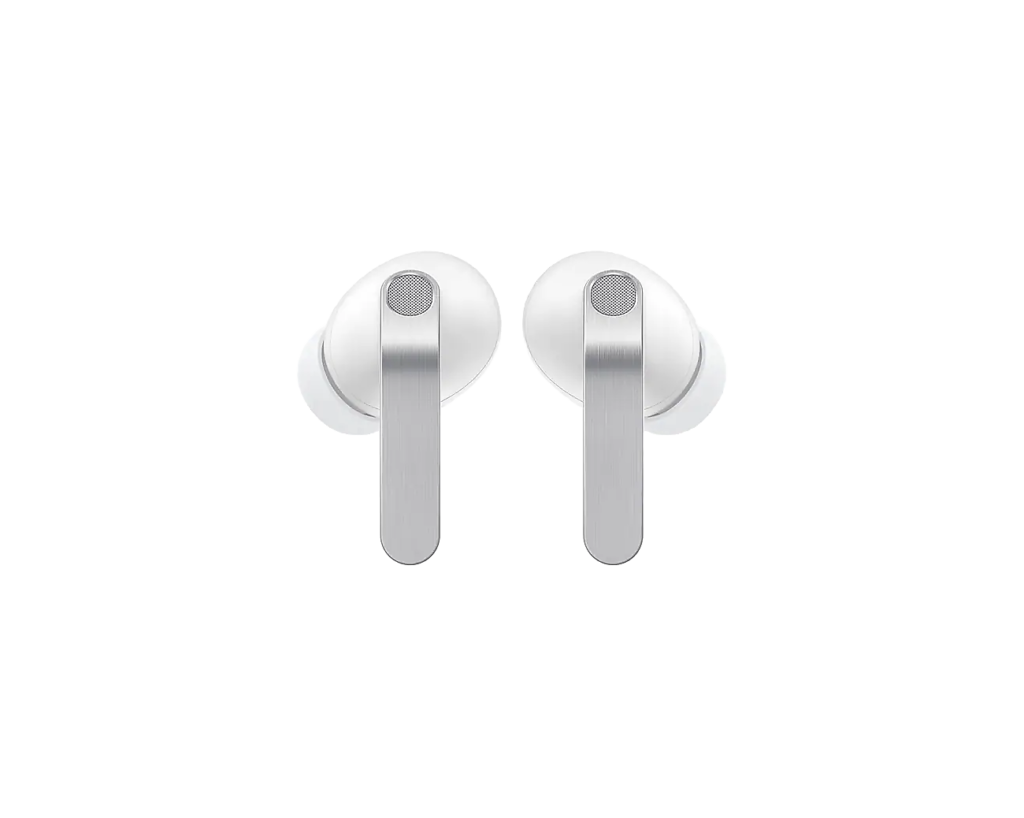
The Galaxy Buds4 Pro in White, with the metal blade on each stem facing forward. Product illustration based on manufacturer imagery: Samsung render on a generated backdrop
Samsung's FAQ splits the Buds4 Pro's features three ways. On a Galaxy phone with One UI 8.0 or later, the settings sit in the phone's own Settings menu and nothing needs installing. Head gestures need One UI 8.5.
On other Android phones, the Galaxy Wearable app handles setup. It needs Android 12 and 1.5 GB of memory. That keeps most features but drops HD Voice calls, 24-bit/96 kHz audio, 360 Audio and its recording mode, the Bixby and Gemini wake words, Interpreter and Live Translate, head gestures and Gaming Mode.
The Wearable app doesn't run on iOS, so an iPhone, a PC or a game console connects over plain Bluetooth. Samsung lists what is left: 16-bit/44 kHz audio, standard call quality, noise cancelling and Ambient mode. Its compatibility chart also leaves firmware updates out of that column, so a pair used only with an iPhone stays on the firmware it shipped with. An owner of a Pixel who wants high-resolution audio has a better fit in the Sony WF-1000XM6, which plays LDAC through Sony's app on any phone that supports it.
Settings need a Samsung Account login, and Auto Switch between a Galaxy phone and tablet only works when both use the same account.
Hi-res audio, but on which Galaxy
Not rated · Evidence: conflicting sources
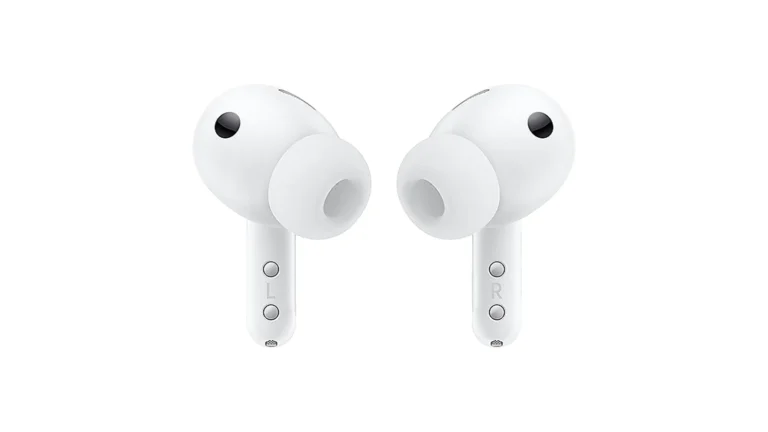
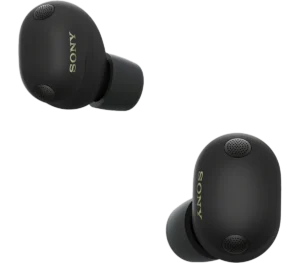
The inner side of both earbuds, with the silicone tips and the sensor windows on each stem. Product illustration based on manufacturer imagery: authentic crop of a Samsung render
Each bud holds a woofer and a planar tweeter, with an amplifier for each driver. Samsung says the woofer's diaphragm is 19.8 percent larger than the Buds3 Pro's. The plain Buds4 use a single 11 mm driver and one amplifier.
UHQ mode streams up to 24-bit/96 kHz over Samsung's SSC UHQ codec and is off by default. The FAQ lists the Galaxy S26 and S25 series, the S24 and S23 series, the Z Fold5 to Fold7 and Z Flip5 to Flip7, and the Tab S9 to S11. Samsung's March 3, 2026 chart lists only the S25 and S26, the sixth and seventh-generation foldables and the Tab S10 and S11. It gives the S24 FE, the S25 FE and the A-series phones 24-bit/48 kHz.
An owner of an S24 or S23 should check the newest version of that chart before paying for the Pro.
Calls, noise control and head gestures
Not rated · Evidence: maker figures only
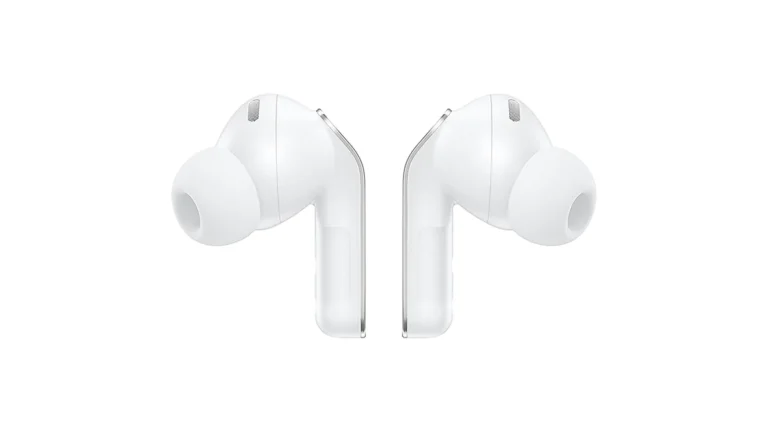
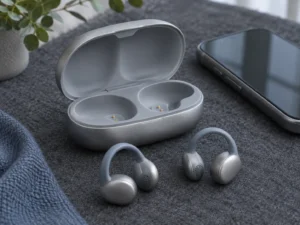
Both earbuds from the side, with the stems angled down from the ear tips. Product illustration based on manufacturer imagery: authentic crop of a Samsung render
Three microphones in each bud and a voice pickup unit feed Samsung's neural-network noise reduction. On a supported Galaxy phone, Super Wideband calls double the voice bandwidth to 16 kHz, which carries more of the s, f and th sounds.
Adaptive ANC 2.0 adjusts the cancelling in real time, and the Pro is the only Buds4 model with it. Voice Detect switches to Ambient mode when you start talking, and Siren Detect does the same for an emergency siren. Nodding to answer a call or shaking your head to decline is off by default.
IP57 earbuds, and a case to keep dry
Not rated · Evidence: maker figures only
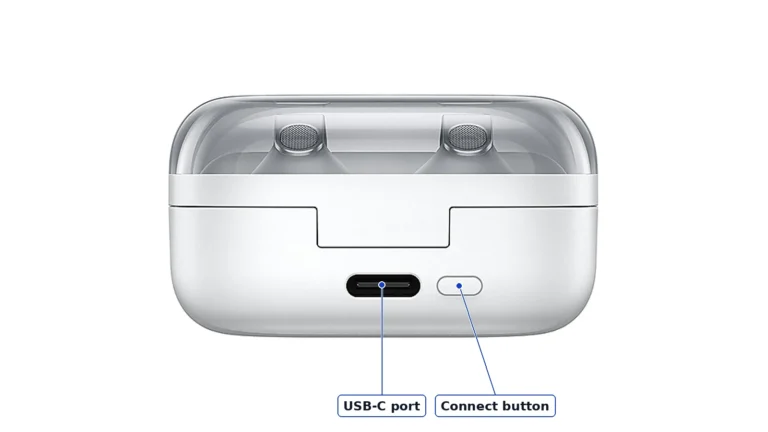
The underside of the charging case, with the USB-C port and the Connect button. Product illustration based on manufacturer imagery: authentic crop of a Samsung render with labels
Samsung rates the earbuds IP57, dust-protected and tested in up to 3 feet of fresh water for 30 minutes. Samsung's manual says the charging case is not water-resistant, and it asks you to rinse the buds in fresh water after salt water and dry them before charging.
In the box are the earbuds, three sizes of ear tips and the case, with no charger and no USB-C cable. Besides USB-C, the case charges on a Qi pad or from the back of a Galaxy phone with Wireless power sharing. The Connect button on its underside starts pairing with a new device.
Alternatives worth considering
Sony WF-1000XM6
LDAC high-resolution audio with any phone that supports it, set up in Sony's app. The trade is an IPX4 rating, which covers sweat and light rain rather than a dunk.
Specifications
Where to buy
In-stock offers for this exact model, sorted by item price in USD. Shipping is not included unless a retailer supplies it. Not every retailer is listed. Prices last checked 13 hours ago.
Retailer prices for the Samsung Galaxy Buds4 Pro, SM-R640, White (US, SM-R640NZWAXAR)
Prices and availability come from retailer feeds and change without notice; the retailer’s page is authoritative. We may earn a commission if you buy through these links.
✓
Final verdict
Samsung Galaxy Buds4 Pro, SM-R640, White (US, SM-R640NZWAXAR)
RecommendationRecommended for Galaxy S25 and S26 owners, who get every feature Samsung lists for the pair
This review gives no score out of 10, because no section rests on a measurement by an independent body. The recommendation and the written verdict stand on their own.
Pros
Two drivers and two amplifiers in each bud
Earbuds rated IP57
Settings built into Galaxy phones on One UI 8.0, with no app to install
Real-time Adaptive ANC 2.0, which the Buds4 lack
Cons
No app and no firmware updates from an iPhone
Hi-res audio and HD Voice calls limited to Galaxy devices
Samsung's FAQ and compatibility chart disagree on which older Galaxy phones get UHQ
Case isn't water-resistant
No charger or USB-C cable in the box
Conclusion
The Buds4 Pro's best audio, clearest calls and head gestures stop at the edge of the Galaxy range. Within it, a newer phone gets more of the pair, and the iPhone column of Samsung's chart is short.
Our take
Every line on Samsung's feature chart applies to a Galaxy S25 or S26, which makes the Buds4 Pro the pair to buy with one.
Best for
Galaxy S25 and S26 owners
Homes with a Galaxy phone and a Galaxy tablet on one Samsung Account
Consider an alternative if
You use an iPhone
Your Android phone isn't made by Samsung and you want hi-res audio
You own a Galaxy S23 or S24 and haven't checked Samsung's latest chart
They connect over Bluetooth with noise cancelling, Ambient mode and 16-bit/44 kHz audio. Samsung's Galaxy Wearable app doesn't run on iOS, so an iPhone gets no settings and no firmware updates.
Which phones get 24-bit/96 kHz audio on the Buds4 Pro?
Samsung's March 3, 2026 chart lists the Galaxy S25 and S26 series, the sixth and seventh-generation Z Fold and Z Flip, and the Tab S10 and S11. Samsung's FAQ adds the S23, S24, Fold5, Flip5 and Tab S9. Galaxy FE and A-series phones get 24-bit/48 kHz.
Andreea reads VersusPilot’s articles, guides and reviews before they are published. When she has also checked a piece against its sources, the note at the end of it says so, with her name and the date.
This is a research-based assessment: the reviewer compiled it from published specifications, documentation and independent measurements rather than from testing the unit.
RecommendedSamsung Galaxy Buds4 Pro, SM-R640, White (US, SM-R640NZWAXAR)Compare prices
Cookies on VersusPilot
We keep cookies to a minimum. Without your consent, this site sets only the ones it needs to work: remembering your answer here and keeping the site secure. If you allow analytics cookies, Google Analytics counts visits and shows us which pages people read. If you allow functional cookies, two optional features can use them: Google sign-in for posting a review, and remembering embedded videos you choose to always show. The site is also set up for Google AdSense ads; the cookie policy explains how Google uses cookies once ads run. Cookie policy
Customise consent preferences
Each category below lists the exact cookies behind it, what they do and how long they last. Strictly necessary cookies cannot be switched off because the site would stop working without them. Anything else is yours to decline.
NecessaryAlways active
Strictly necessary cookies keep the site working and secure: they remember your choice here, help the security layer stop attacks and keep site accounts signed in to the admin area. The site cannot run without them.
Show the cookies in this category (8)
cmp_consent
VersusPilot · 1 year
Remembers your consent choice for each cookie category, so the banner does not ask again on every page.
cmp_visitor
VersusPilot · Session (until you close the browser)
Marks your browser as a real visitor, so a comparison page is built when someone actually opens one rather than when a crawler passes through. It holds the value 1 and nothing else: no identifier, no history.
wp-settings-(id), wp-settings-time-(id)
WordPress · 1 year
Remembers layout preferences inside the WordPress admin screens. Set only for accounts that sign in to run the site, never for ordinary visitors.
WordPress · Session, or 14 days if “Remember me” is ticked
Keeps a site account signed in to the WordPress admin, and checks that the browser accepts cookies at login. Set only for accounts that sign in to run the site, never for ordinary visitors.
wfwaf-authcookie-(hash)
Wordfence (Defiant, Inc.) · 12 hours
Lets the Wordfence firewall check a signed-in user’s access level before WordPress loads, so administrators are not blocked by firewall rules. Set only when you log in to the site.
wf_loginalerted_(hash)
Wordfence (Defiant, Inc.) · Persistent
Records that the administrator has already been alerted about a sign-in from this device. Only used if login alerts are enabled, and set only when you log in to the site.
wfCBLBypass
Wordfence (Defiant, Inc.) · Only if enabled
Allows a visitor who knows a hidden bypass address to pass country blocking. It is only used if country blocking is enabled, and we do not currently use it.
wfls-remembered-(hash)
Wordfence (Defiant, Inc.) · Up to 30 days
Remembers a trusted browser for two-factor login when a signed-in user chooses “remember this device”. Set only for site accounts that use two-factor authentication.
Functional
Functional cookies are set only when you use a feature that needs them: signing in with Google to post a review, or ticking “Always display content from …” on an embedded video or post. Decline and the rest of the site works exactly as before: Google sign-in stays off, and embedded videos still load one at a time when you click them.
Show the cookies in this category (2)
g_state (and Google’s own sign-in cookies)
Google · Set by Google
Set only if you use the Google sign-in button to post a review. It remembers the state of that prompt so it is not shown again. Governed by Google’s own policy.
embed-privacy
VersusPilot · 1 year
Remembers the providers whose embedded content you chose to always display (for example YouTube), so their videos and posts load without a click. Set only when you tick “Always display content from …”, a box that appears only once functional cookies are allowed.
Analytics
Analytics cookies let Google Analytics count visits and show us which pages people read and how they found them, so we know what to improve. Google Analytics loads only after you switch this on. Google signals and ad personalization are turned off, and Google Analytics does not log or store IP addresses. Decline and the site works exactly the same.
Show the cookies in this category (2)
_ga
Google (Google Analytics) · 13 months
Gives your browser a random ID so Google Analytics can tell new visitors from returning ones. It holds no name, email address or account. Set only after you allow analytics cookies.
_ga_MRGQGRKPP6
Google (Google Analytics) · 13 months
Keeps track of the current visit for this site’s Google Analytics property, such as when it started and how many pages it covered. Set only after you allow analytics cookies.
Advertising (Google AdSense)
This site is set up for Google AdSense. No ads are shown until Google approves the site. In the EEA, the UK and Switzerland, Google asks for your consent in its own message before it uses advertising cookies, and that message also decides Google Analytics there. Elsewhere, you can turn off personalized ads in Google’s ad settings.
Show the cookies in this category (2)
FCCDCF, FCNEC
Google (consent message) · Up to 13 months
Stores the choices you make in Google’s consent message, which visitors in the EEA, the UK and Switzerland see, so the message does not appear on every page.
__gads, __gpi, __eoi
Google (AdSense) · Up to 13 months
Used by Google AdSense to show ads, limit how often you see the same ad and detect fraud. Set only on pages that show an ad; no ads are shown until Google approves the site.
Set by other sites
These are set by another company, not by this site: a retailer, after you click through to its website, or a video or social-media provider, after you click to load its content here. That company’s own policy governs them, not this banner.
Show the cookies in this category (2)
Embedded video and social-media cookies
YouTube, Vimeo, TikTok, Instagram, Spotify, X, Reddit · Set by the provider
Articles can embed a video or post. Nothing loads from the provider until you click its placeholder; when you do, the provider may set or read its own cookies under its own policy. YouTube videos load in YouTube’s privacy-enhanced mode (youtube-nocookie.com).
Retailer / affiliate cookies
Amazon & affiliate networks · Set by the retailer
Set on the retailer’s own website after you click a “View deal” or “Check price” link, to attribute a purchase. We do not set or read these.