Apple MacBook Air 13 M5 (2026): Specs, Price, Pros & Cons
The 13-inch MacBook Air with M5 weighs 2.7 pounds, the same as Apple's cheaper MacBook Neo. Stepping up no longer buys a lighter bag. It buys the M5 chip, two Thunderbolt 4 ports and a 12MP Center Stage camera, all in a slimmer case. The Neo uses an iPhone chip, the A18 Pro.
This is the smaller of Apple's two M5 Airs. The 15-inch model keeps the same chip and ports and adds a 15.3-inch screen. It also adds two speakers and weighs 3.3 pounds. Above both is the 14-inch MacBook Pro, which Apple moved to its M6 chip on October 27 and which starts near two thousand dollars.
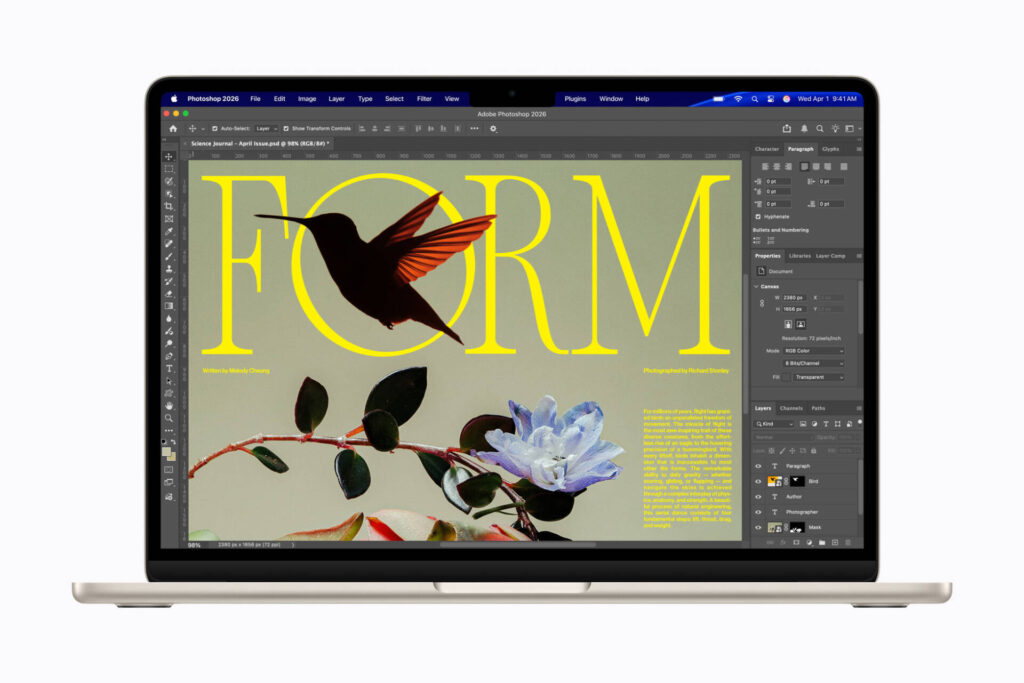
Apple's base configuration pairs the M5 with an 8-core GPU, 16GB of unified memory and a 512GB SSD. That drive is double the starting storage of the M4 model it replaced. It is also the only M5 Air with this smaller GPU, because every other configuration of both sizes gets more graphics cores. The 13.6-inch Liquid Retina display runs at 2560 by 1664 and 500 nits, with P3 wide color. True Tone matches its white point to the light in the room.
Apple rates the 53.8 watt-hour battery at 18 hours of video streaming and 15 hours of web browsing. Both figures come from its tests of this base model. There is no fan at all. The ports stop at MagSafe 3, that pair of Thunderbolt ports and a headphone jack, so an HDMI monitor needs an adapter. The N1 wireless chip adds Wi-Fi 7 and Bluetooth 6. Memory is a factory choice, with larger amounts on the configure-to-order list.
Category strengths
Where the Apple MacBook Air 13 M5 (2026) beats the median
- A much sharper webcam ?12 MP vs 2.1 MP (median)
- Higher resolution ?1,664 px vs 1,200 px (median)
- A lighter build ?1.23 kg vs 1.49 kg (median)
- A slimmer body ?11.3 mm vs 16.45 mm (median)
- A brighter display ?500 nits vs 400 nits (median)
- More microphones ?3 vs 2 (median)
- A newer Bluetooth version ?6 vs 5.4 (median)
Where the Apple MacBook Air 13 M5 (2026) trails the median
- Much less storage ?512 GB vs 2,048 GB (median)
- Fewer USB-A ports ?0 vs 2 (median)
- No HDMI port ?
- No IR camera (Windows Hello) ?
- Slightly shorter battery life ?18 h vs 20 h (median)
- A slightly smaller screen ?13.6" (34.54 cm) vs 14" (35.56 cm) (median)
How this VS Score was computed
Score 44: each known spec is measured against the median of all laptops (167 products), then weighted. 67% of the scoreable weight could be used. See how we score
| Specification | This product | Cohort median | Score weight | Points moved |
|---|---|---|---|---|
| Dedicated graphics | No | 28% of the class have it | 1 | −48.0 |
| SSD storage | 512 — capped at the class’s lower range (1,024) | 2,048 | 1.5 | −37.5 |
| Resolution | 1,664 | 1,200 | 1.5 | +28.5 |
| Fingerprint reader | Yes | 68% of the class have it | 0.5 | +25.0 |
| Webcam resolution | 12 — capped at the class’s upper range (5) | 2.1 | 0.5 | +25.0 |
| OLED display | No | 20% of the class have it | 0.5 | −24.0 |
| Touchscreen | No | 24% of the class have it | 0.5 | −24.0 |
| USB-A ports | 0 | 2 | 0.5 | −24.0 |
| HDMI port | No | 84% of the class have it | 0.5 | −24.0 |
| IR camera (Windows Hello) | No | 73% of the class have it | 0.5 | −24.0 |
| Weight | 1.23 | 1.49 | 2 | +22.0 |
| Thickness | 11.3 — capped at the class’s lower range (12) | 16.45 | 1 | +19.0 |
| Numeric keypad | No | 36% of the class have it | 0.3 | −14.4 |
| SD card reader | No | 38% of the class have it | 0.3 | −14.4 |
| Ethernet port | No | 34% of the class have it | 0.3 | −14.4 |
| Brightness | 500 | 400 | 1 | +13.0 |
| Battery life | 18 | 20 | 2.5 | −12.5 |
| Microphones | 3 | 2 | 0.3 | +7.5 |
| Bluetooth version | 6 | 5.4 | 0.3 | +1.8 |
| Screen size | 13.6 | 14 | 1 | −1.0 |
| CPU cores | 10 | 10 | 1 | +0.0 |
| RAM | 16 | 16 | 2 | +0.0 |
| Charging power | 70 | 70 | 0.5 | +0.0 |
| USB-C ports | 2 | 2 | 0.5 | +0.0 |
| Wi-Fi standard | Wi-Fi 7 | Wi-Fi 7 | 0.5 | +0.0 |
Not scored: Backlit keyboard (standard for the class (98% have it)); Convertible (2-in-1) (not applicable: only 14% of this class have it); Anti-glare display (unknown: not scored); Refresh rate (unknown: not scored); sRGB colour coverage (unknown: not scored); Upgradeable RAM (unknown: not scored); GPU memory (unknown: not scored); Geekbench score (unknown: not scored); Thunderbolt / USB4 (standard for the class (80% have it)); Battery capacity (capacity is a proxy; the rated battery life is scored instead); USB-C charging (standard for the class (100% have it)); Fast charging (standard for the class (100% have it)); Headphone jack (standard for the class (96% have it)); Wi-Fi 6E support (standard for the class (87% have it)); 1080p webcam (standard for the class (88% have it)); Stereo speakers (standard for the class (100% have it)).
Editor’s note
Two GPU cores separate the base 13-inch model from every other M5 Air. They are not worth paying for. The 10-core GPU speeds up games and 3D rendering. Someone who spends hours on either gets more from the 12-core GPU in the new MacBook Pro with M6.
With the base drive doubled, storage is no longer the upgrade to buy on day one. The standard SSD is enough for documents, coursework and a modest photo library, and a fast external drive over Thunderbolt can take the rest.
Apple gives the MacBook Neo 8GB of memory with no other option, one USB 3 port, one USB 2 port and support for a single external display. For a laptop meant to last five or six years, the Air's memory and its Thunderbolt ports are worth the extra money. The Neo makes more sense as a second computer, or as a first one for a child.
HDMI, an SD card slot and a third Thunderbolt port earn the 14-inch MacBook Pro its price, and documents and email need none of them.
Dell's XPS 13 (2026) starts with half the Air's memory. The Dell version with matching memory sells for around a thousand dollars. At that level the Air is no longer the expensive pick among small laptops.
Put the upgrade money into memory instead. The base amount handles office work, browsing and photo editing. Apple also pitches this laptop for running language models locally, and a model has to fit in memory beside every open app. For that work I'd order 24GB and leave the GPU alone.
Specifications
Design
Display
Performance
Battery
Connectivity
Audio & camera
Software
Sources and verification
Where the specifications come from
- Official product pagesupport.apple.com
- Independent testingenergystar.gov
Verification
- First published
- Specifications last checked
- Sheet completeness
- 43 of 53 specifications verified; the rest show as Unknown and are never estimated or scored
- Page type
- Product specification page — Compiled from the manufacturer’s published specifications and the cited sources; this is not a hands-on test.
- Basis
- Research-based: specifications and editorial text were compiled from the documents listed here and the manufacturer’s published data. We have not tested this unit ourselves; where independent measurements are mentioned they belong to the linked publication.
Where to buy
Prices and availability may change. Check the retailer before buying. We may earn a commission on purchases.
Price history
Laptops with similar specs to the Apple MacBook Air 13 M5 (2026)
Ratings & reviews
No reviews yet. Be the first to share your experience.
The bottom line
The Apple MacBook Air 13 M5 (2026) earns a VS Score of 44, below the median of the 167 laptops it is measured against (a score of 50 is level with that median).
- Who it’s for
- A student or writer who carries a laptop all day and wants the M5 chip in the smallest MacBook Air Apple sells, with room in the budget for more memory.
- Who should look elsewhere
- Anyone on a tight budget whose day is spent in a browser, email and a word processor, because the MacBook Neo runs the same macOS apps for less money.
- The trade-off that matters
- Apple gives the screen no HDR brightness rating, so anyone who grades HDR photos or video will end up paying for the XDR display on a MacBook Pro.
- The main alternative
- Dell XPS 13 (2026): a lighter Windows laptop whose touch screen runs at up to 120 Hz
This page was created with the help of AI. How we work
Latest Laptops